![blue-logo_slate-txt.png]](https://8894931.hs-sites.com/hs-fs/hubfs/blue-logo_slate-txt.png?width=281&height=42&name=blue-logo_slate-txt.png)
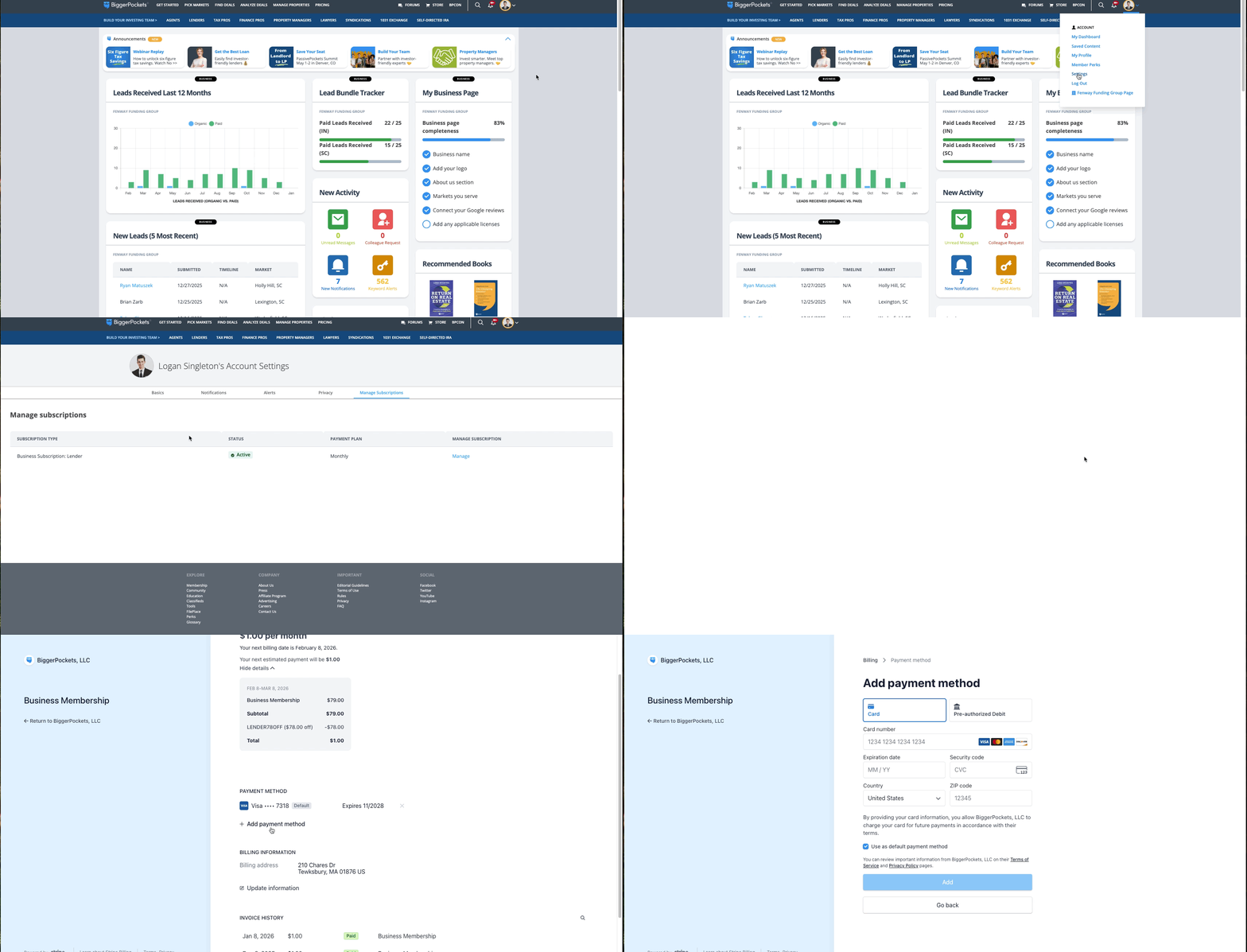
Step 1: Log into your Profile.
Step 2: Hover your cursor over your profile photo and select "Settings".
Step 3: Select "Manage Subscriptions".
Step 4: Under "Business Subscription" select "Manage".
Step 5: Click the "x" icon next to the current payment method to remove it, and click "Add Payment Method" to add a new default card..