![blue-logo_slate-txt.png]](https://8894931.hs-sites.com/hs-fs/hubfs/blue-logo_slate-txt.png?width=281&height=42&name=blue-logo_slate-txt.png)
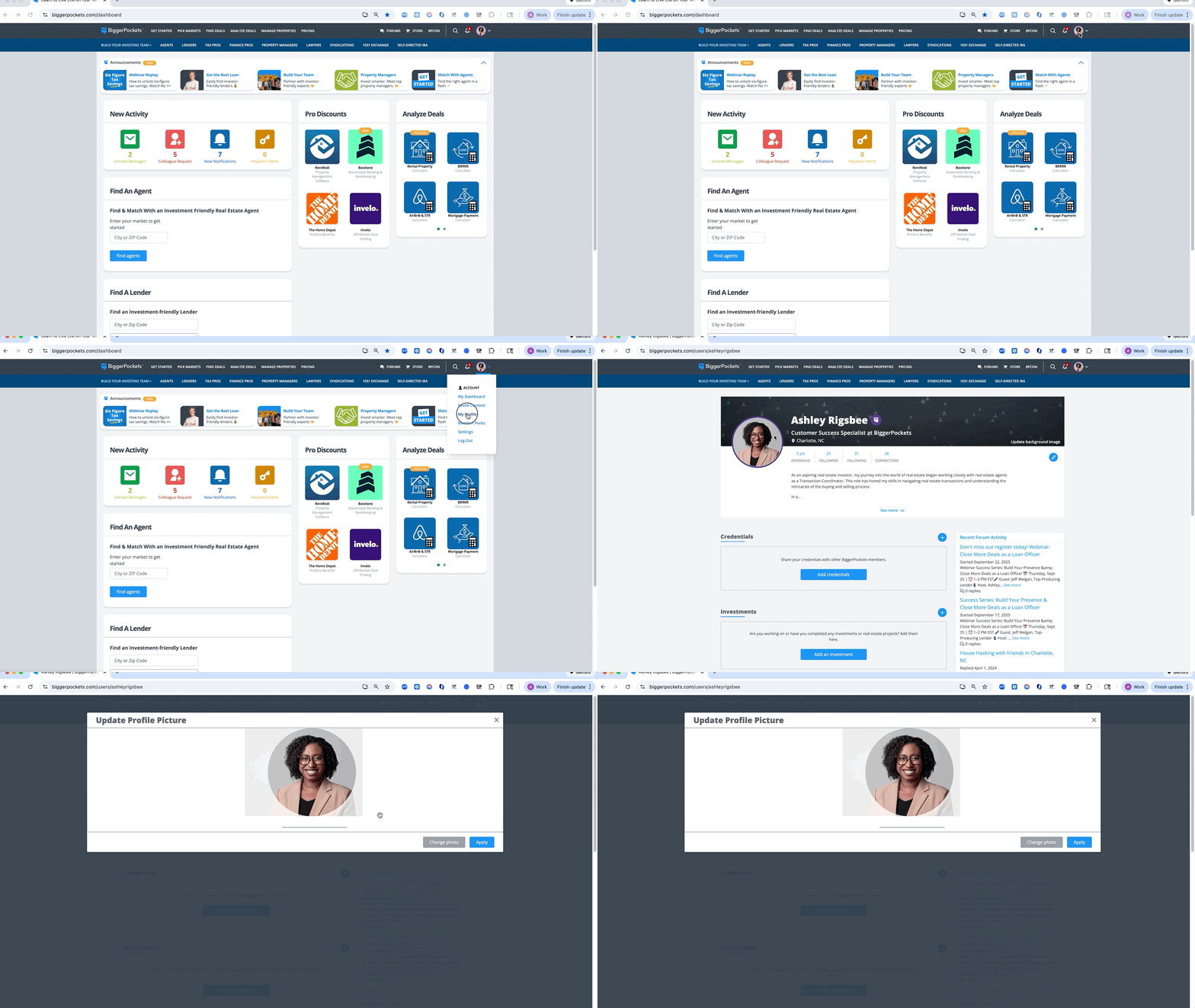
Step 1: Log into your Profile.
Step 2: Navigate to "My Profile" by clicking your profile picture icon at the top right.
Step 3: Click the profile picture image to upload your profile photo and click save.
Note: This image will also display at the bottom of your business page under "Our Team".